
Skip to content
  • Nodus Nexo and Nodus Eco

What do you want to keep?

Save your screenshots, photos and notes, and find them when you need them.

Nodus keeps what you capture on your phone: photos, screenshots, notes, links, dictations and meetings. With the Nodus plan, AI reads each one —what it is, who it’s from, when, and with which figures—, connects it to what you already had, and you can ask it questions.

Download See the plans

What it keeps

8 ways to save,and all of them end upin the same library

PhotoNexo

Camera

Car service invoice

What comes out Total USD 285 and the next service, in 3,000 miles.

ScreenshotNexo

Screen capture

The flight booking

What comes out Leaves on the 14th at 7:05, seat 12C.

ChatNexo

Shared conversation

Deal on the lot with Sam

What comes out 4,500 USD. The payment date is still open.

NoteNexo

Written

The Winter Park apartment

What comes out Two bedrooms, 1,850 a month. Viewing on Saturday at 11.

LinkNexo

Video or page

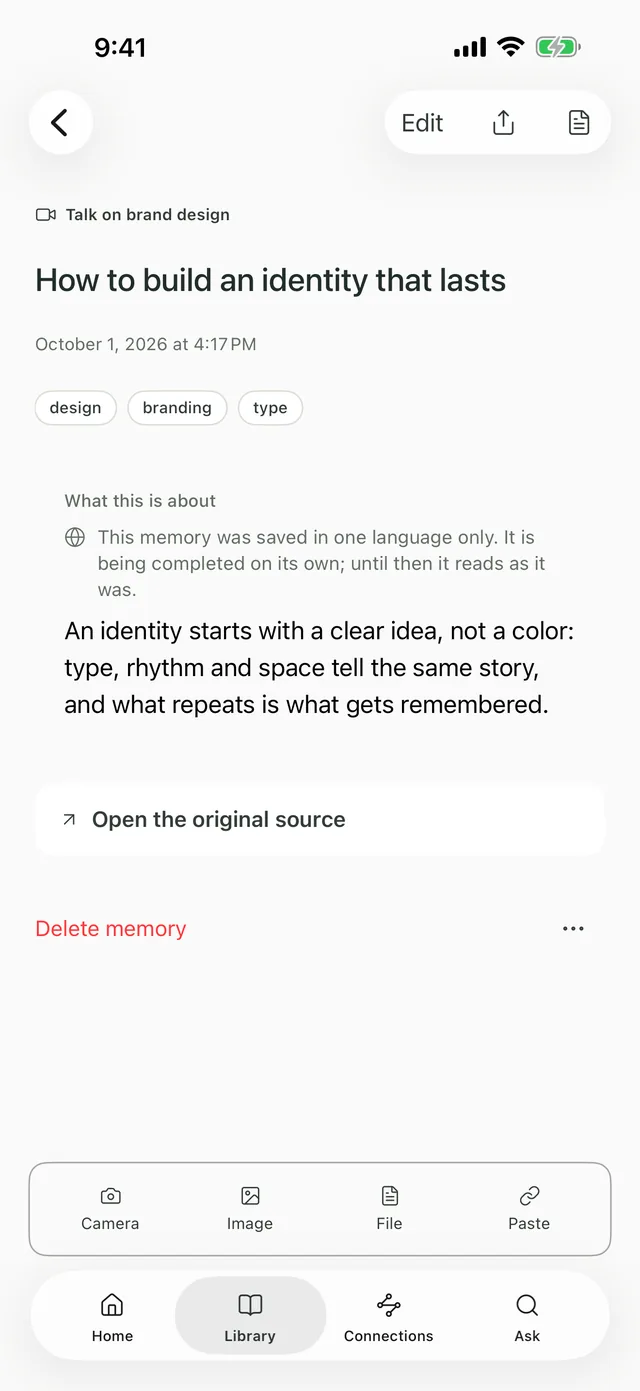
How to build an identity that lasts

What comes out The video, transcribed, with what it’s about.

FileNexo

PDF or document

Lease agreement

What comes out Ends March 31; 60 days’ notice.

DictationEco

Your voice

Call the insurer

What comes out “Before Friday, about the car service.”

MeetingEco

Recorded and transcribed

Proposal review with Marina

What comes out 46 minutes, two decisions and one to-do.

Drag to spin

  • NexoPhotoCamera

    Car service invoice

    Total USD 285 and the next service, in 3,000 miles.

  • NexoScreenshotScreen capture

    The flight booking

    Leaves on the 14th at 7:05, seat 12C.

  • NexoChatShared conversation

    Deal on the lot with Sam

    4,500 USD. The payment date is still open.

  • NexoNoteWritten

    The Winter Park apartment

    Two bedrooms, 1,850 a month. Viewing on Saturday at 11.

  • NexoLinkVideo or page

    How to build an identity that lasts

    The video, transcribed, with what it’s about.

  • NexoFilePDF or document

    Lease agreement

    Ends March 31; 60 days’ notice.

  • EcoDictationYour voice

    Call the insurer

    “Before Friday, about the car service.”

  • EcoMeetingRecorded and transcribed

    Proposal review with Marina

    46 minutes, two decisions and one to-do.

Why it exists

You save everything. The day you need it, you can’t find it.

We note everything down: the photo of the invoice, the screenshot of the chat, the voice memo, the link someone sent. And the day you need it, it isn’t there. Nodus keeps it, reads it and connects it to everything else, so you find it by asking, the way you’d ask someone.

Your Photos app already searches the text in your pictures. Nodus searches everything you save —screenshots, chats, links, notes and meetings— and, with the plan, understands what each one is and answers with where it came from.

The people who make Nodus · Red Tail Den

nodus · library

  1. 1Comes in
  2. 2Gets read
  3. 3Connects

Coming in

  • Car service invoicePhotoInterpretingReady
  • Deal on the lot with SamChatReady
  • Call the insurerDictation · 0:42Ready
  • How to build an identityLinkReady
  • Review with MarinaMeeting · 46 minTranscribing

Interpreting

Text read on the phone

What it is
Auto repair invoice
Who from
Hope Auto Repair
When
September 12, 2026
Total
USD 285
What’s next
Service in 3,000 miles
  • car
  • maintenance
  1. 1The photo is saved on your phone.
  2. 2The text is read on the phone; AI only if you say yes.
  3. 3It’s linked to what you already had, no tagging.

Library

  • Auto repair invoice6:20

    Car service invoice

    Oil and filter change and brake inspection, for USD 285.

  • Sales agreementyesterday

    Deal on the lot with Sam

    Sam and Alex close the sale of the recycling lot at 4,500 USD.

  • Rental listingMon

    The Winter Park apartment

    Two bedrooms, 1,850 a month, water included.

Connected to

  • car
  • Hope Auto Repair
  • Car insurance

The app, from the inside

Step into your memory.

Everything you save goes through the same steps: it comes in, gets interpreted, and lands in your library, connected to what you already had.

What it does

Five things. One library.

  1. Save

    Photos, screenshots, notes, links, files, chats, dictations and meetings. From the app, or from the share button of any other.

    Saving, reading the text in your photos and search are free, need no account, and stay on your phone.

    • Camera
    • Screenshot
    • File
    • Link
    • Share
    • WhatsApp

    Freeno account needed

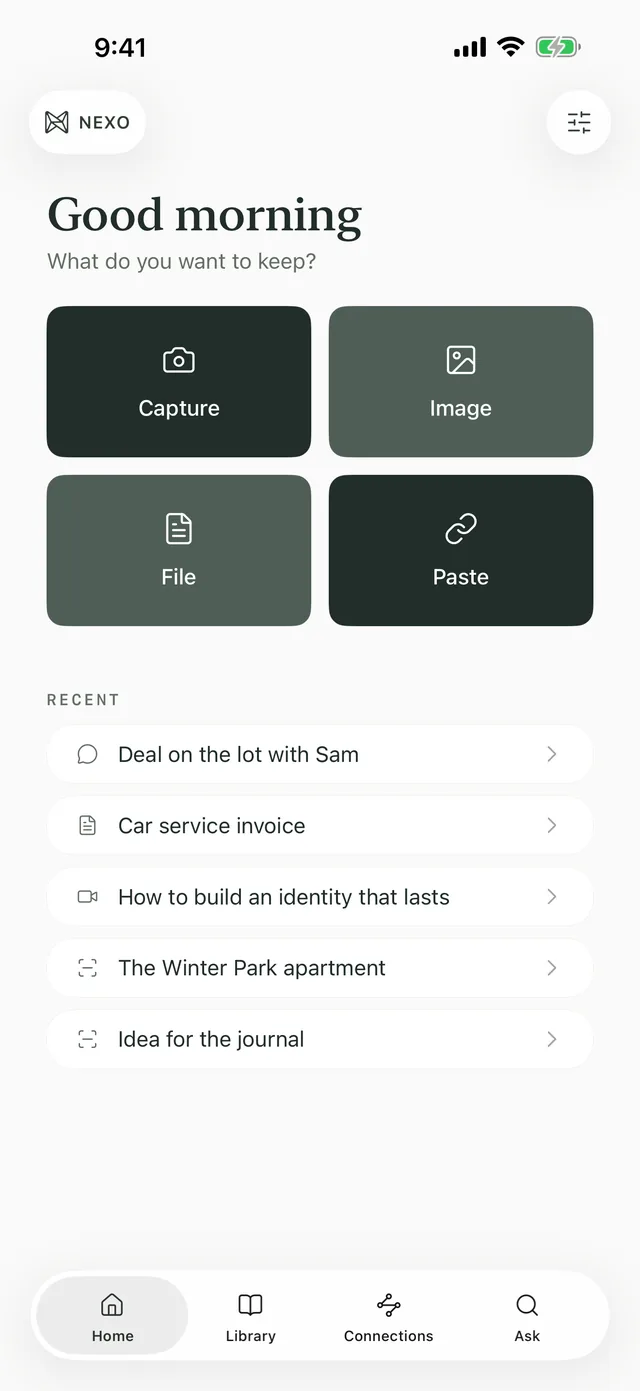
    The Nodus Home screen on an iPhone: Capture, Image, File and Paste, and the latest saves.
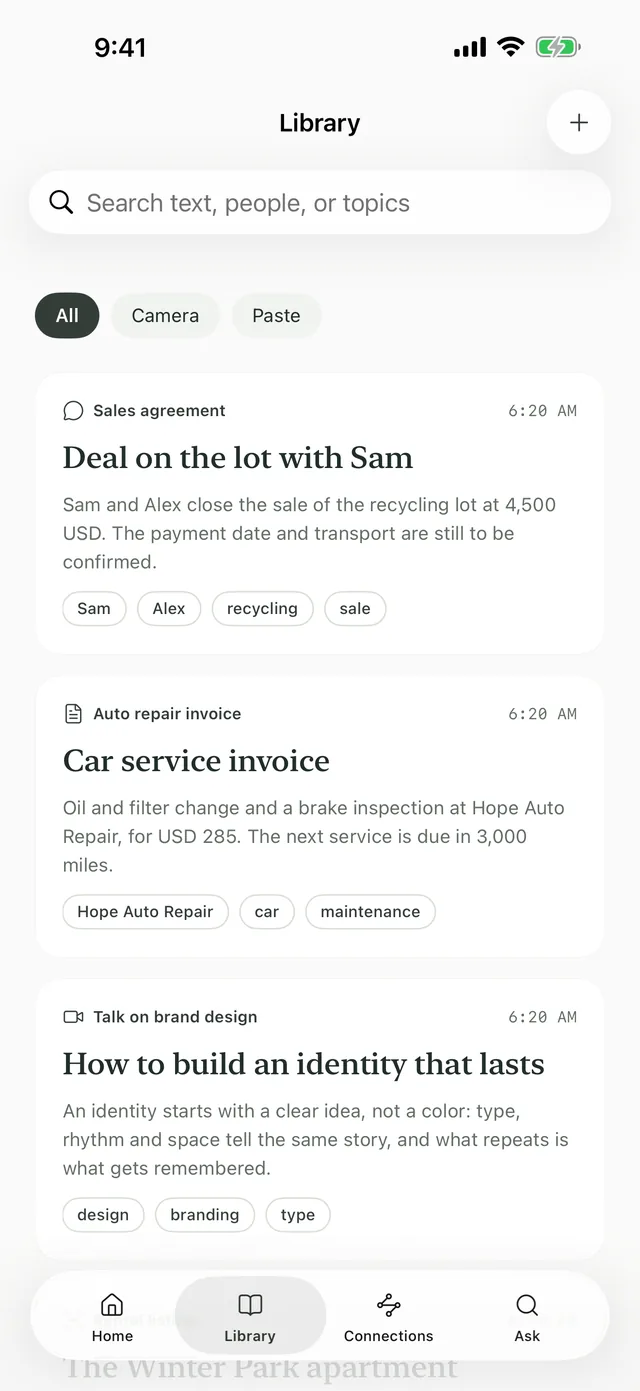
    The Nodus Nexo Library: saved memories, each with its type and summary.
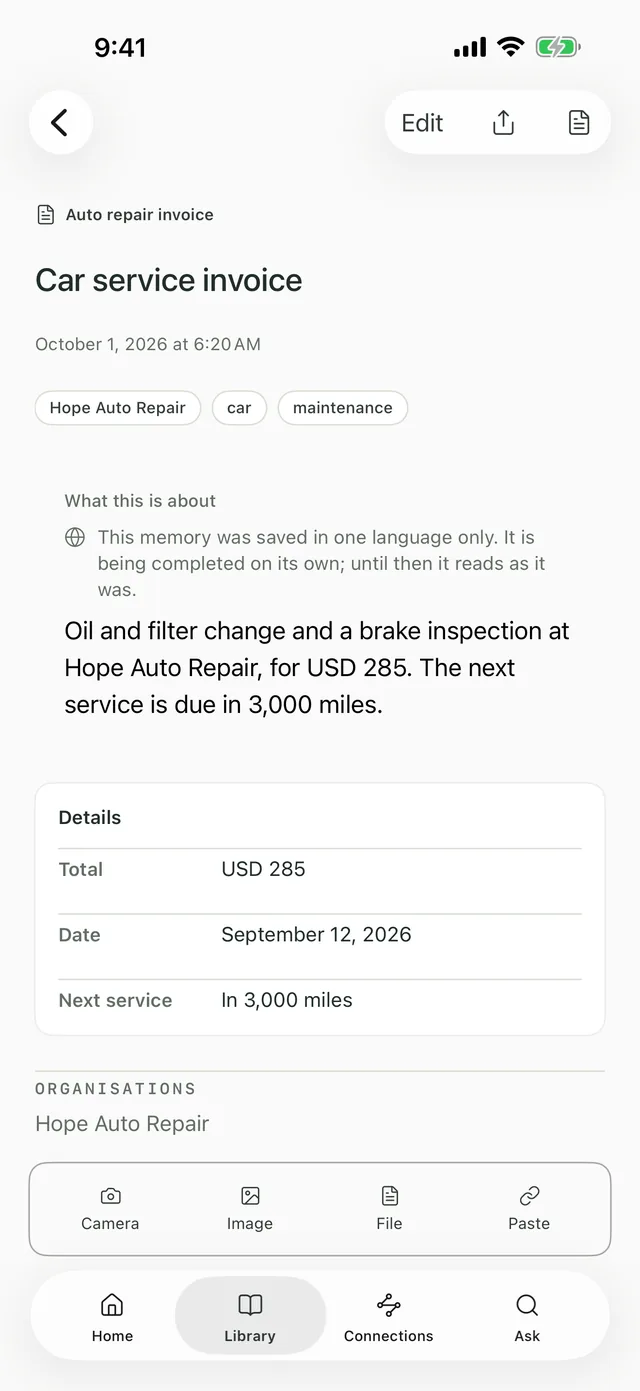
    A car service invoice in Nodus, with the total, the date and the next service pulled out.
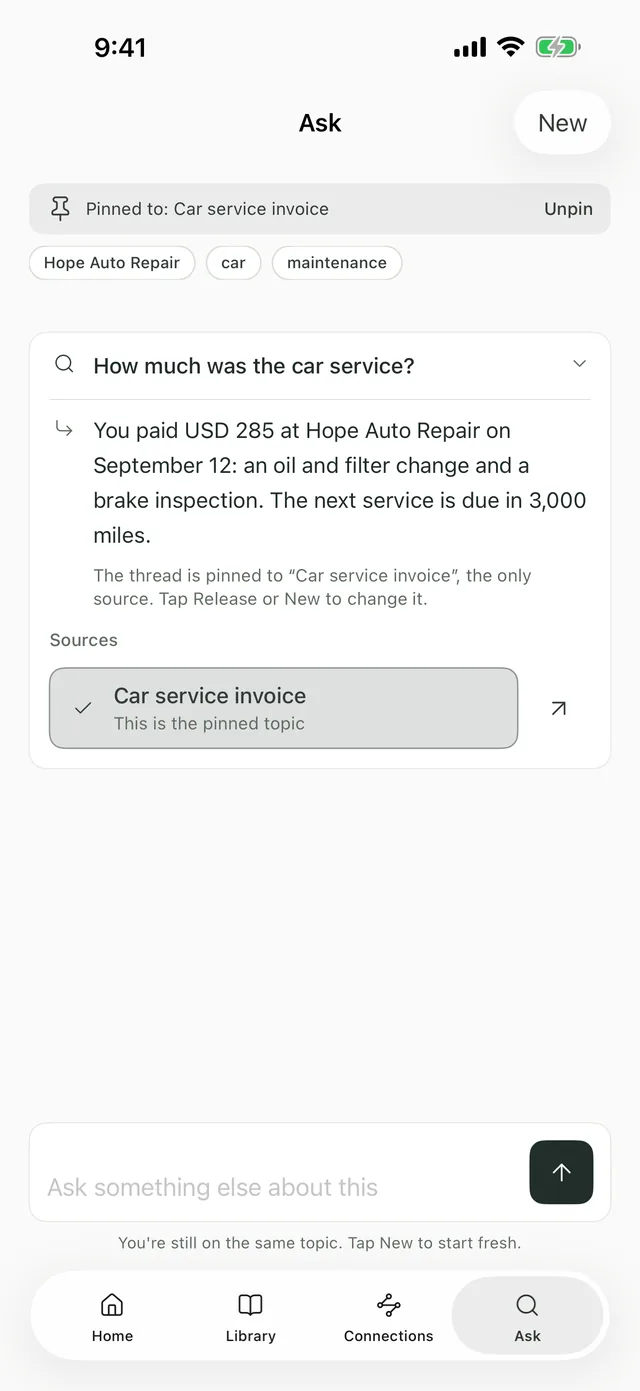
    Ask in Nodus: “How much was the car service?” and the answer, with the memory it came from.
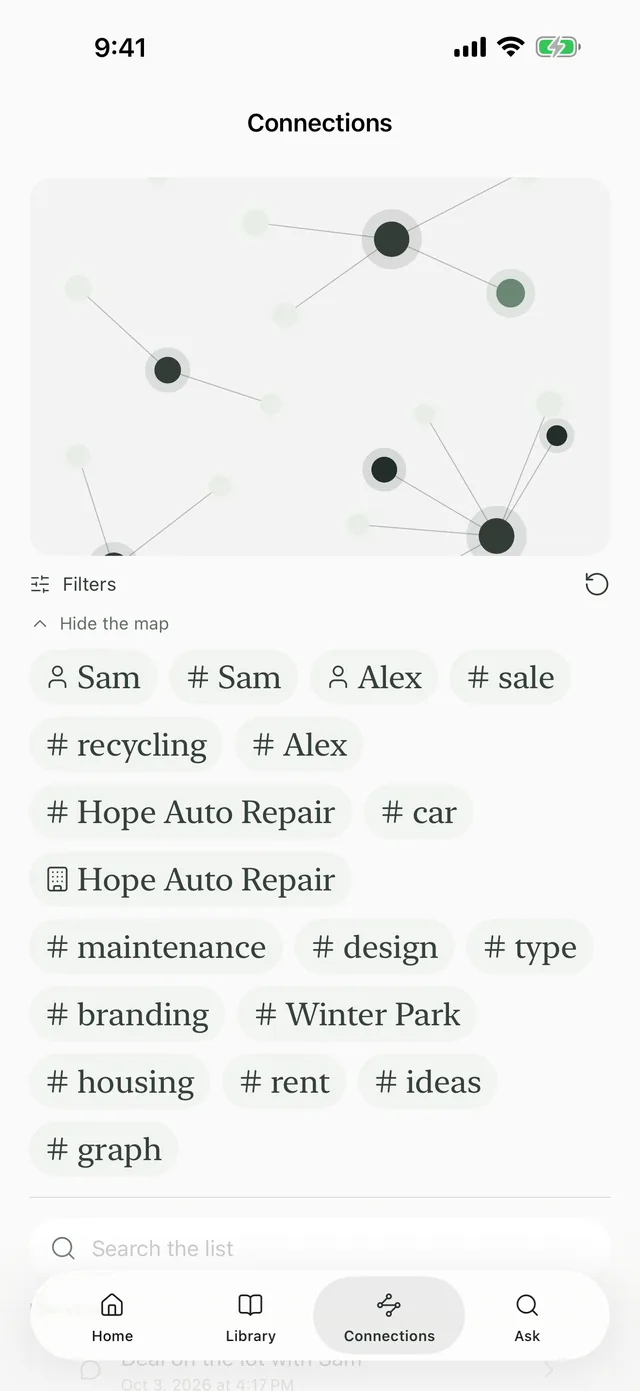
    Connections in Nodus Nexo: the map of memories, people, companies and topics.
    A saved video in Nodus Nexo, with what it’s about and its tags.
    Nexo
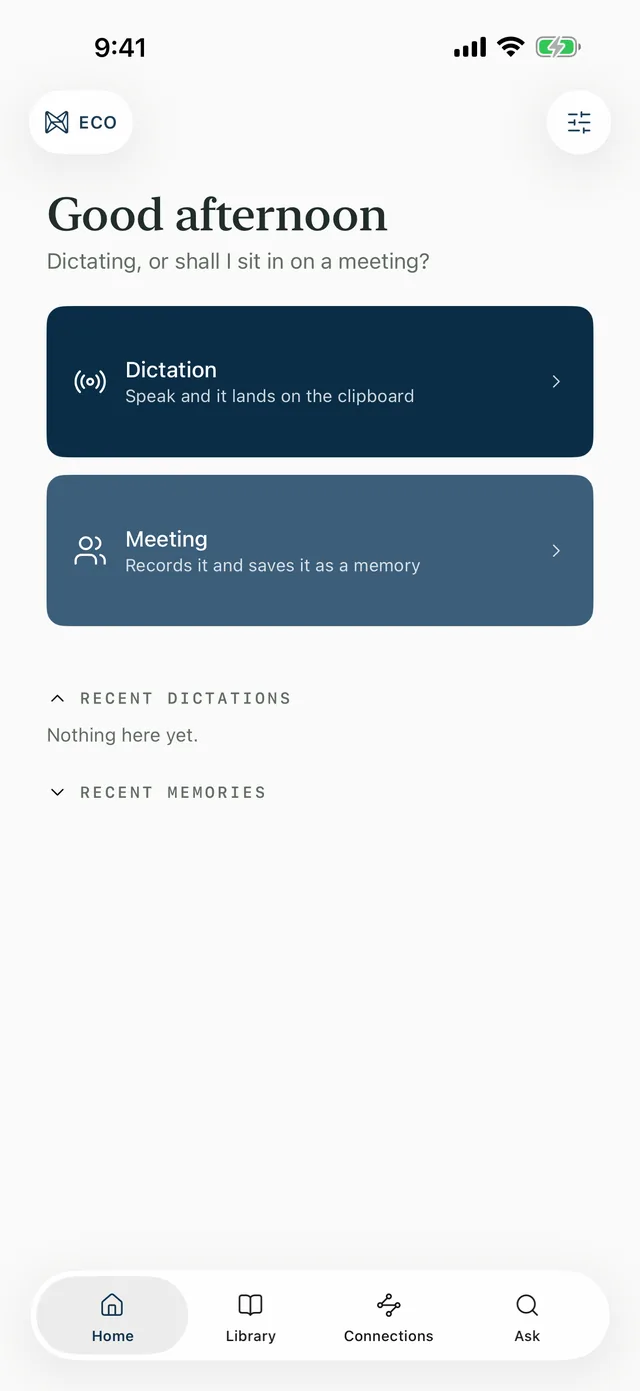
    The Nodus Eco Home screen, in blue: Dictation and Meeting.
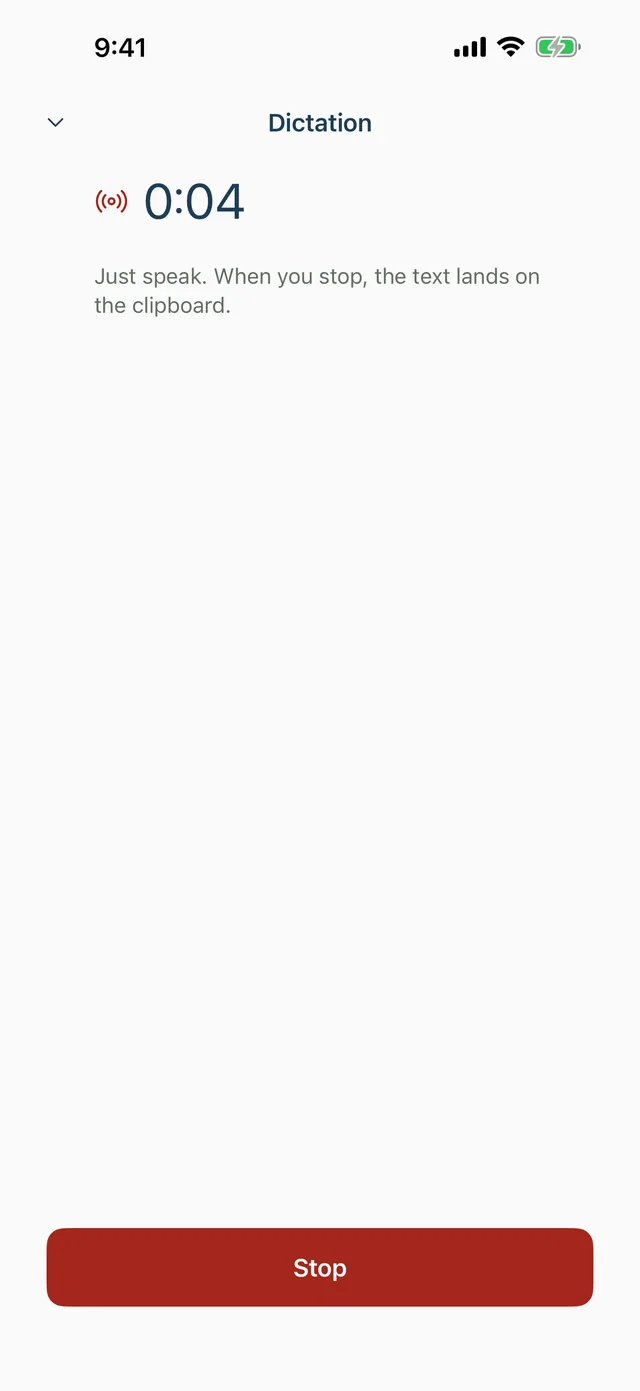
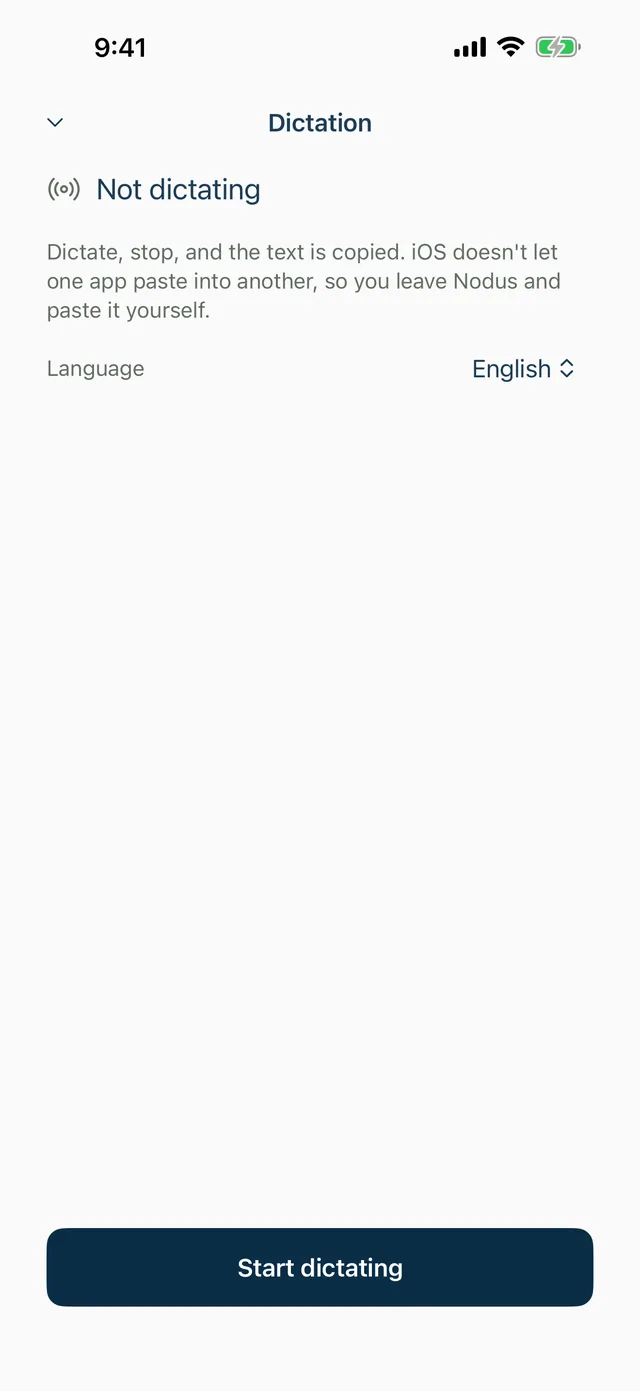
    Nodus Eco dictation, listening.
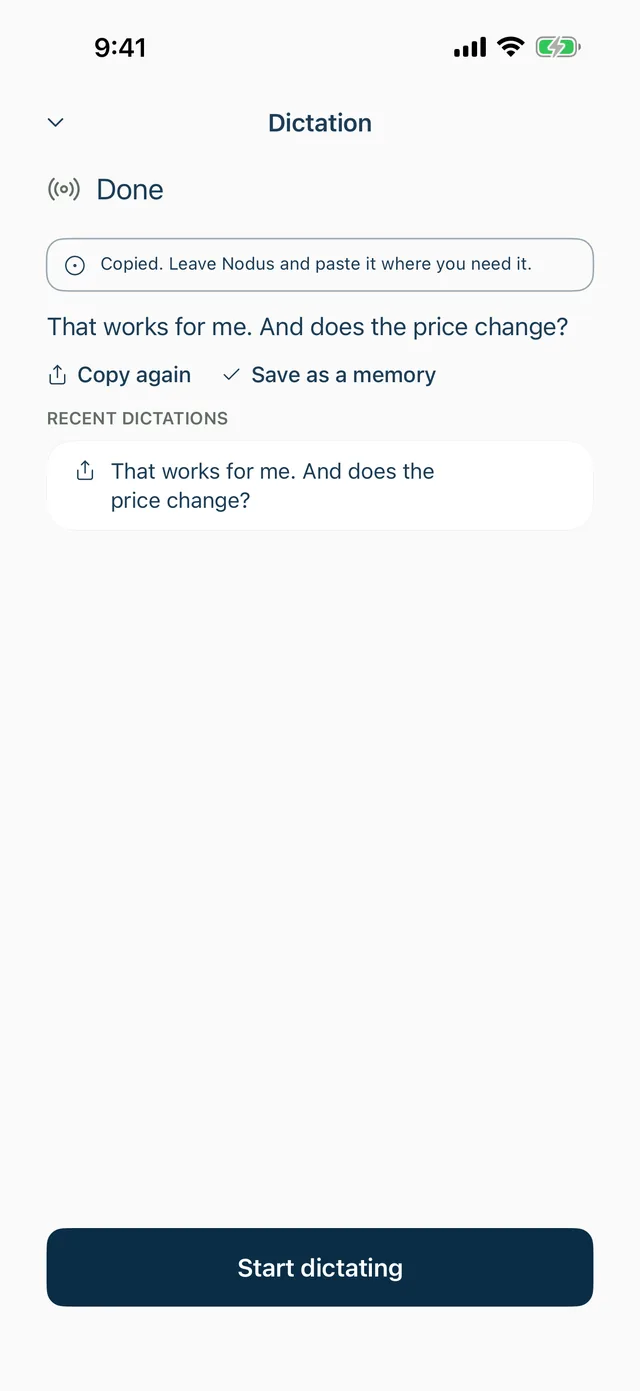
    Finished dictation: the text, already copied to paste.
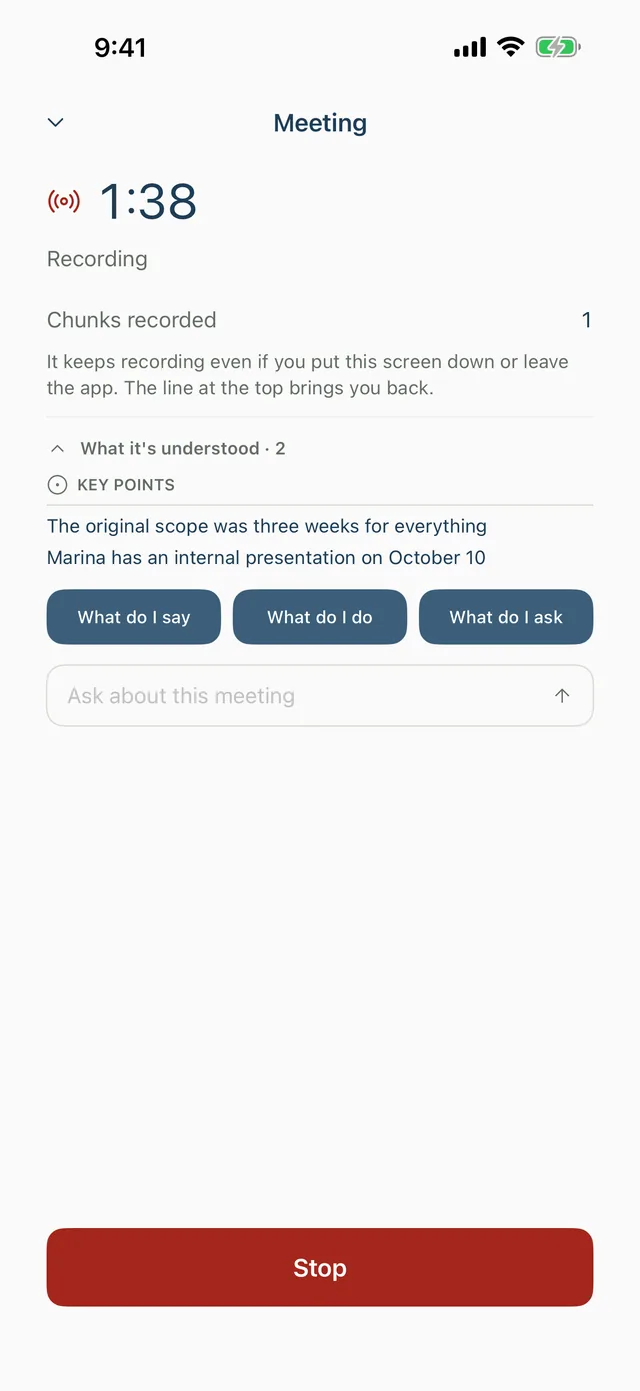
    A meeting in progress: the notes with what it’s picking up and the copilot buttons.
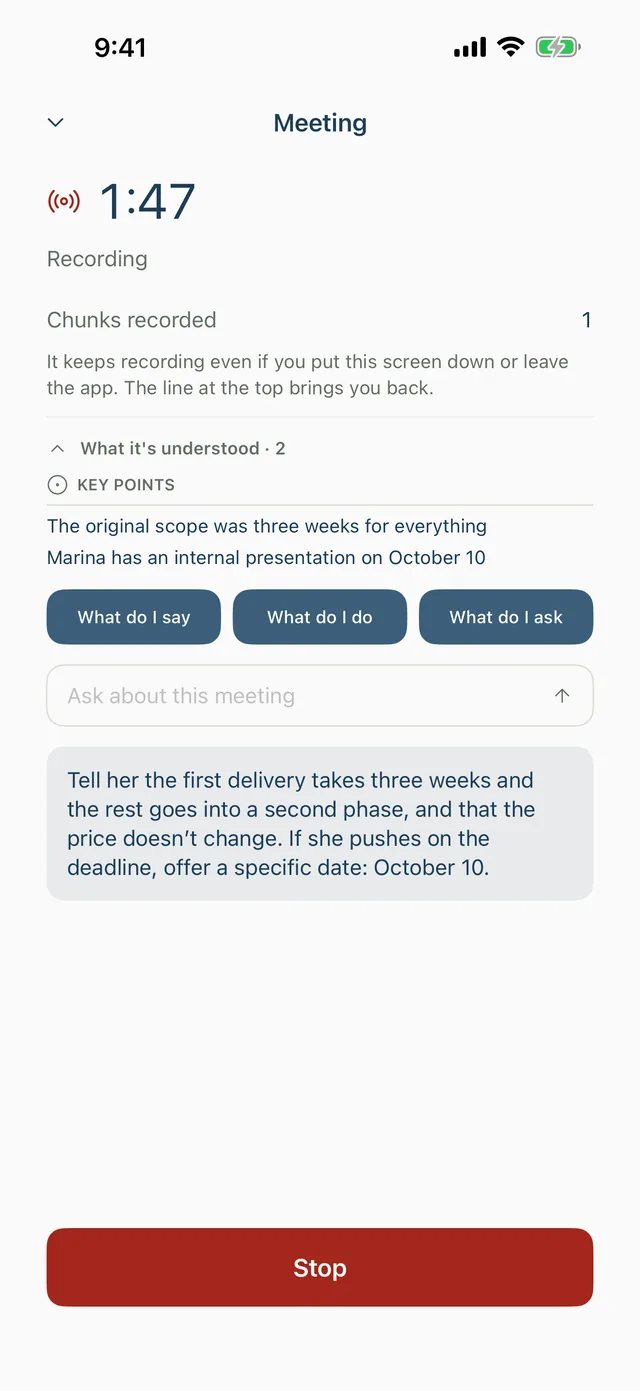
    A meeting in progress: the copilot suggests what to say.
    Eco
  2. Understand

    AI reads what you save and sorts it out: what it is, who it’s from, when, and with which figures.

    Before interpreting anything for the first time, the app asks you. You can edit what comes out.

    • What
    • Who
    • When
    • How much

    Nodus planit’s AI: it comes with the plan

    A car service invoice in Nodus, with the total, the date and the next service pulled out.
  3. Ask

    Ask what you saved: “What time is my flight?”, “How much did Sam and I agree on?”. It answers and tells you which memory it came from.

    You can pin a topic and keep asking about it, or start over.

    • With sources
    • Pin a topic
    • In your language

    Nodus planit’s AI: it comes with the plan

    Ask in Nodus: “How much was the car service?” and the answer, with the memory it came from.
  4. Connect

    Each memory is linked to the people, companies and topics it mentions. Connections shows it on a map.

    Tap a name and you get its memories; tap another and you get the ones they share.

    • People
    • Companies
    • Topics

    Freeeven without the plan

  5. Transcribe

    Dictations, meetings and videos, turned into text you can search and ask about.

    On Android, videos only for now.

    • Dictations
    • Meetings
    • Videos

    Nodus planit’s AI: it comes with the plan

Nodus Eco

AI meeting notes, in person too.

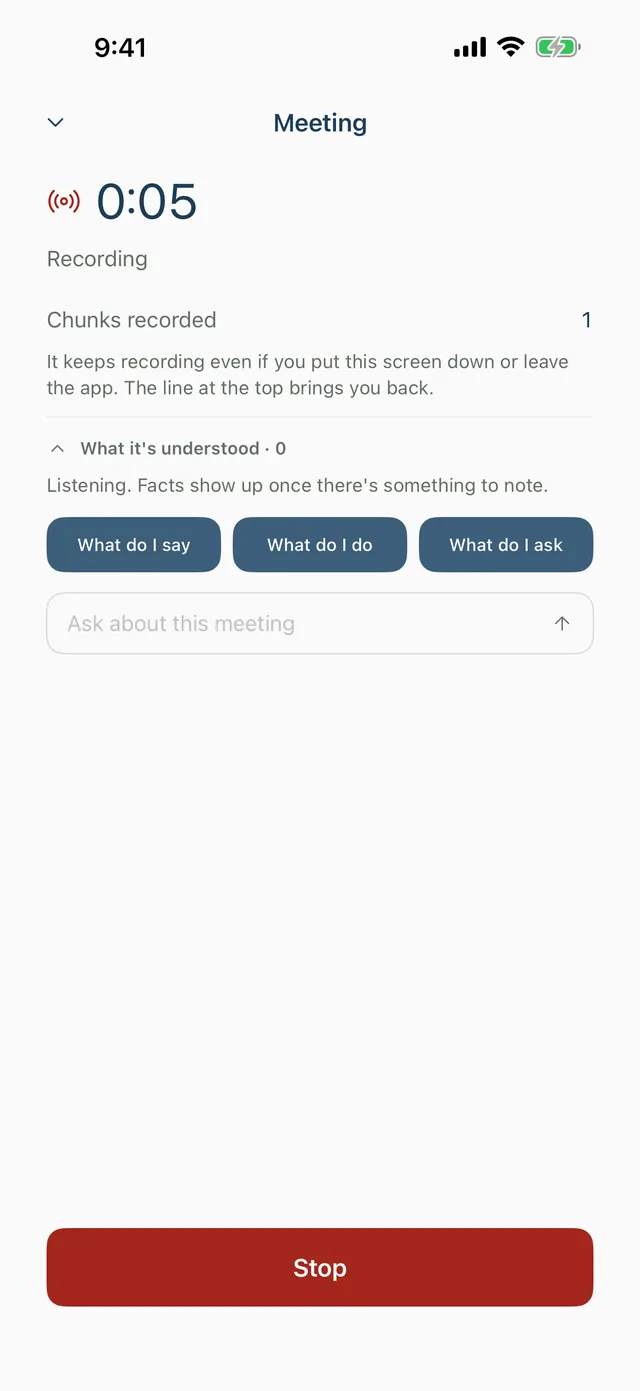
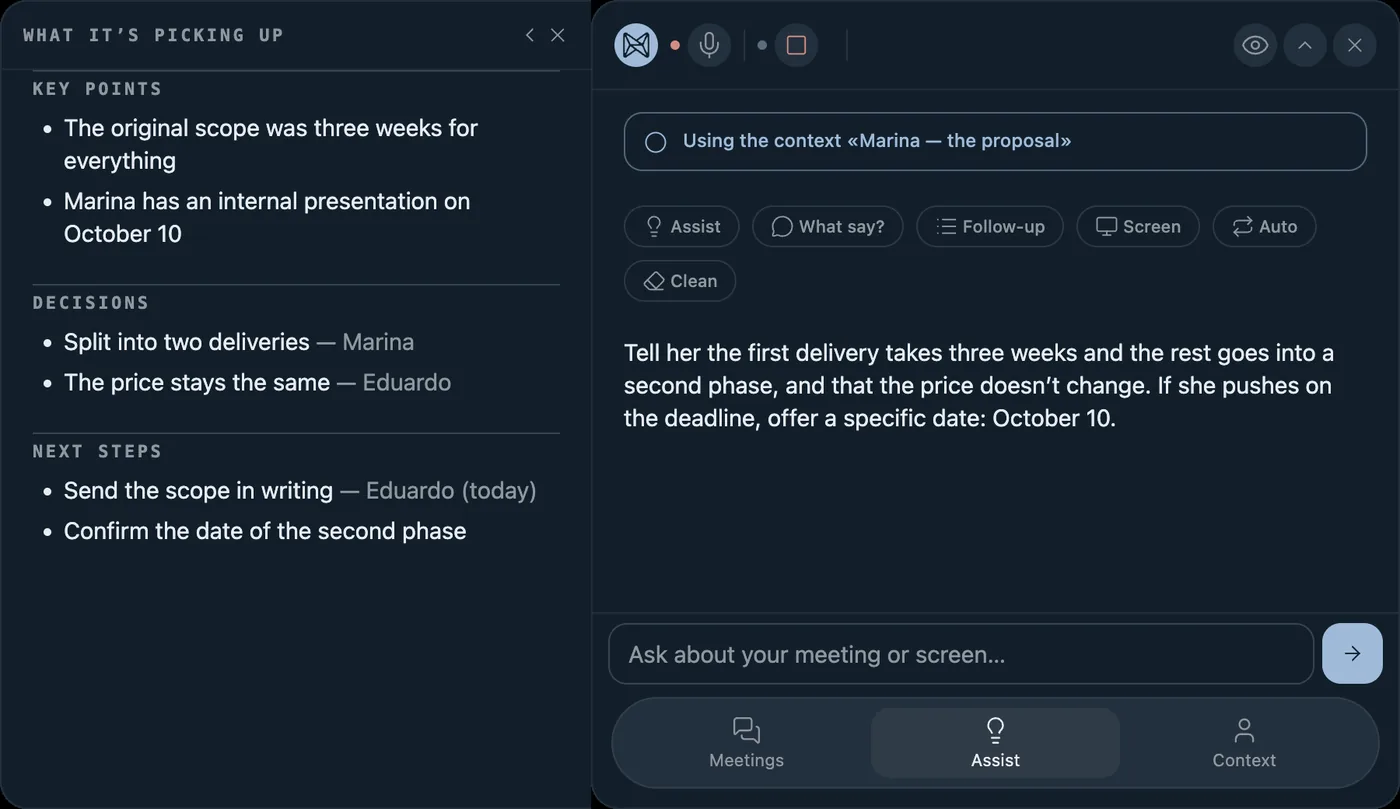
Put your iPhone on the table: Nodus records and transcribes the meeting, suggests what to say if you go blank and, when it’s over, leaves you a summary with key points, decisions and to-dos. While it listens, the app turns blue. It comes with the Nodus plan.

A meeting in progress in Nodus Eco, just started.
A meeting in progress: the notes with what it’s picking up and the copilot buttons.
A meeting in progress: the copilot suggests what to say.
Nodus Eco dictation, ready to start.
Nodus Eco dictation, listening.
Finished dictation: the text, already copied to paste.
Nodus Eco on the Mac during a meeting: the summary with key points, decisions and next steps, and next to it the suggested reply.
The Nodus Eco dictation bar on the Mac: “Ready to dictate”.

The plans

Saving is free. AI is paid by you.

The Nodus plan unlocks AI, but it doesn’t pay for it. AI is paid separately: with your own keys or with Nodus credits.

Free

To save and find, without AI

0USD

No account needed.

  • Save photos, screenshots, notes, links, files and recordings
  • Read the text in your photos, on the phone
  • Search, the Library and the connections between memories
  • Automatic backups on the phone
  • No AI: it doesn’t interpret, answer questions or transcribe
Download

Nodus with your keys

If you have keys

AI paid straight to each provider

3.99USD a monthyour keysAnthropic and Groq

or USD 43.99 a year, 8% less

  • Unlocks AI: interpret, ask, transcribe and meeting mode
  • You add your Anthropic and Groq keys (and Supadata, for videos)
  • What you spend on AI you pay to each provider, on your account with them
  • The encrypted vault

You need an account: that way the plan follows you to any device.

Download

Nodus with credits

If you don’t have keys

The same subscription, plus the credits you use

3.99USD a monthcreditsfrom USD 4.99

or USD 43.99 a year, plus credits

  • The same as with your keys, without having to get them
  • Credits pay for AI: each one covers one US cent of what it actually costs
  • Packs of 300, 600 and 1,200 credits for USD 4.99, 9.99 and 19.99; they never expire
  • 100 free credits with the plan’s first payment
  • Credits don’t include the subscription, and the subscription doesn’t include credits
What credits are

The subscription alone doesn’t give you AI: you need one of the two, your keys or credits.

Pay on the iPhone, through the App Store, or on the web, for now only in the United States and the Dominican Republic. Nothing is sold in the Android app: you sign in with your account and get the plan and credits you paid for. The subscription renews automatically until you cancel it; how to cancel is in Support. Terms of use.

Questions

Ask Nodus.

These are the ones we get most. Tap one and it answers the way the app does: with the answer and where it came from.

Askon the phone

  • Do I need an account?

    Not to start. Saving, reading the text in your photos and search work without an account and stay on your phone. You need one for the Nodus plan: that way it follows you to any device.

    SourcesThe plans

  • What leaves my phone?

    What AI needs to interpret, answer or transcribe, through our server, to Anthropic, Groq or Supadata. Before interpreting anything for the first time, the app asks you. The vault is encrypted with a key that never passes through the server.

    SourcesPrivacy policy

  • How much does AI cost?

    The Nodus plan (USD 3.99 a month) unlocks AI, but doesn’t pay for it. You pay for AI separately: with your own Anthropic and Groq keys, straight to each provider, or with Nodus credits, sold in packs of 300, 600 and 1,200 that never expire. Each credit covers one US cent of what AI actually costs: a photo takes about 3, a question 1.

    SourcesThe plans

  • Can I use my own keys?

    Yes. With the Nodus plan you add your own Anthropic and Groq keys (and Supadata, for videos), and what you spend on AI you pay to each provider. That way you don’t need credits.

    SourcesSupport · What credits are

  • Does it work on Android?

    Yes: it’s on Google Play. On Android it only transcribes videos for now, and the vault is iPhone only. Nodus Eco is on the iPhone; the Mac app is coming soon. Nothing is sold in the Android app: you pay for the plan on the iPhone or on the web, and sign in on Android with your account.

    SourcesWhat it does

  • What is Nodus Eco?

    The blue mode of Nodus, for meetings: it transcribes, suggests what to answer and leaves you the summary when it’s over. The Mac app, coming soon, also types what you dictate in any app.

    SourcesNodus Eco

  • Does it work for in-person meetings?

    Yes, on iPhone with the Nodus plan: put it on the table to listen, and it transcribes, suggests what to say and leaves you the summary at the end. On Android it doesn’t transcribe meetings yet.

    SourcesNodus Eco

  • Is Nodus a second brain app?

    Yes, built for your phone: you save screenshots, photos, notes, links and chats with no folders or tags, and with the Nodus plan you ask and it answers with the source. It isn’t an editor for writing long documents.

    SourcesWhat it does

  • How is it different from searching in Photos?

    Photos searches your photos. Nodus also reads the text in each photo on your phone, for free, and keeps chats, links, notes, files and meetings in the same place. With the plan, it understands what each one is and answers questions.

    SourcesWhat it does

  • How do I cancel the subscription?

    Where you paid for it: on the iPhone, on the App Store; on the web, on the plan page. If you bought it on Google Play with an earlier version of the Android app, on Google Play. The plan lasts until the end of the period you already paid for.

    SourcesSupport · Cancel the subscription

  • Where do I get it?

    On Android, from Google Play: it’s free to download. On iPhone it’s coming soon to the App Store, and the Mac app comes after.

    SourcesDownload

Anything else? Write to us

Download

Start with one photo.

Get it on Google Play

On Android it’s already on Google Play, and it’s free to download. On iPhone it’s coming soon to the App Store; the Mac app comes after.